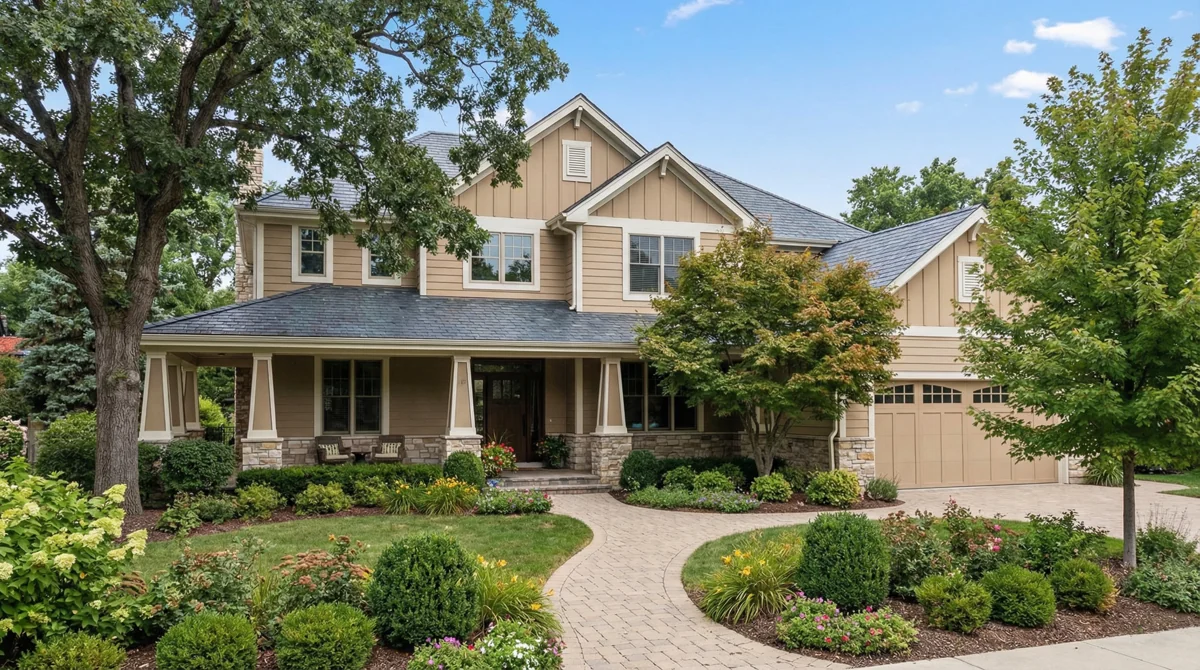
Before
Noon. Flat light. Forgettable.
You have 200 photos like this one. So does every other agent in your market.
 videotour.aiTry for Free
Turn your noon exterior into a $400 twilight shot. Or drop a camera from the sky like a movie intro. No photographer, no drone, no editing. Just the photos you already have.
First video free on videotour.ai. No credit card.Featured: Day to Night
Your photographer shot the exterior at noon. Flat light, harsh shadows, nothing special. AI Transitions turns that same photo into a twilight scene with glowing windows in 2 minutes. No second trip. No golden-hour scheduling.
Before
You have 200 photos like this one. So does every other agent in your market.
After
50 credits. 2 minutes. No photographer, no reshoot, no second visit. The AI darkened the sky, lit the windows, and shifted the entire mood.
3 clicks
Open your video in the editor. Mouse over any photo and 6 buttons appear on top. Click the one that says AI Transitions.
15 options. Twilight, golden hour, snow, autumn leaves, drone reveal. Pick one. Want a 3D address title baked in? Toggle it on.
Hit Generate. The AI builds your clip in the background while you keep editing. When it finishes, the clip drops right into your video tour. Publish whenever you are ready.
Pick a mood. The AI does the rest.
Each preset works on any property photo you already have. One click, 50 credits, 2 minutes.
Time of Day
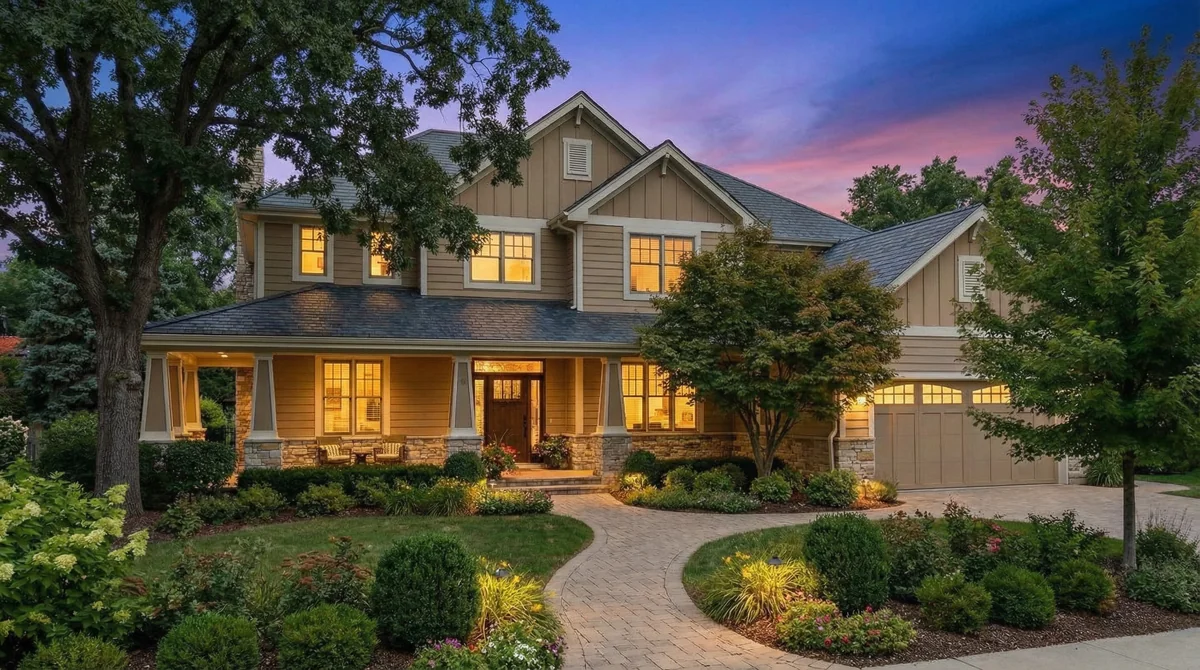
Purple sky, warm glow. The look buyers associate with luxury properties.
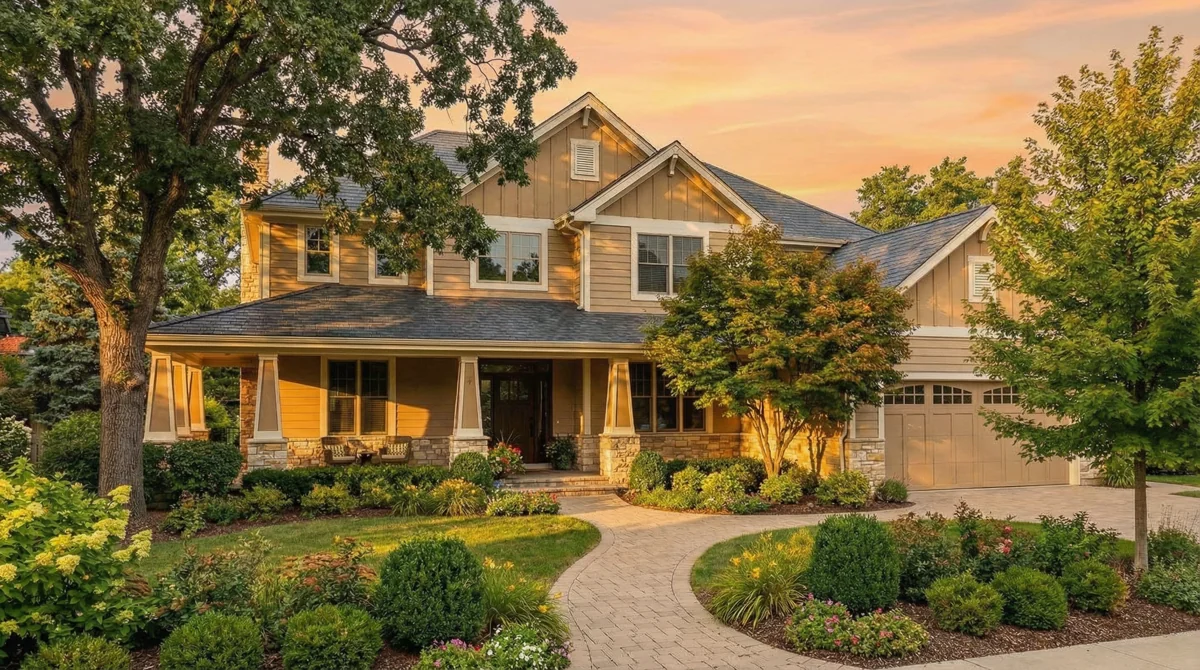
Amber light, long shadows. Your photographer's favorite hour without the scheduling.
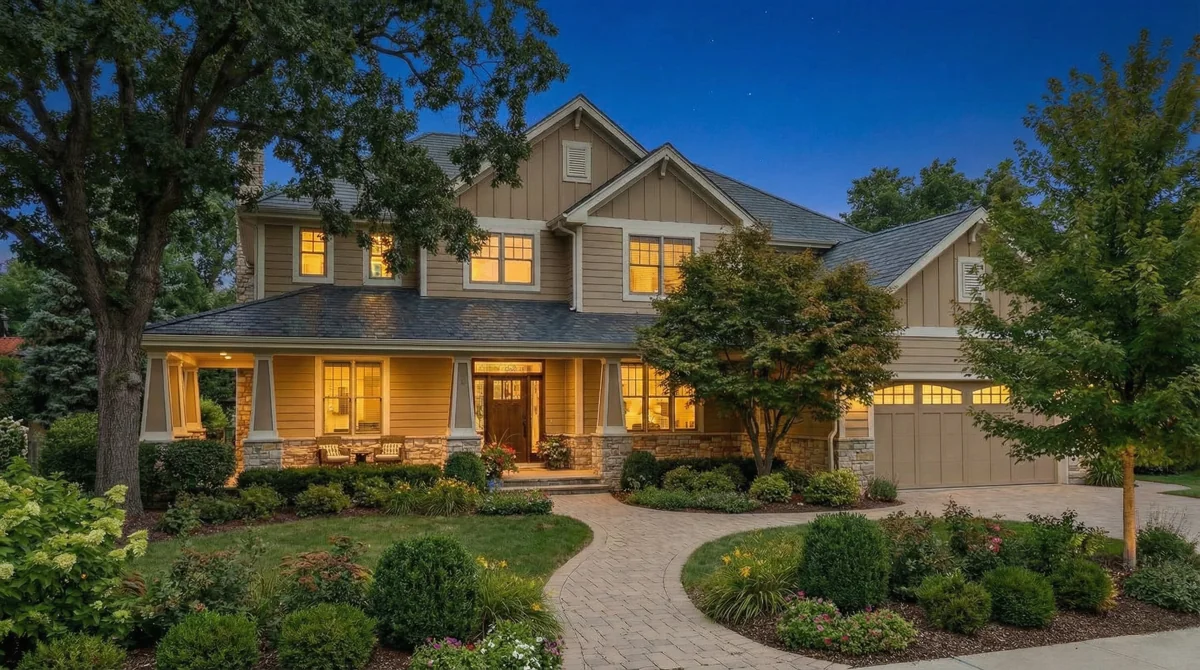
Sky darkens, windows glow. A $200-400 reshoot from a photo you already have.
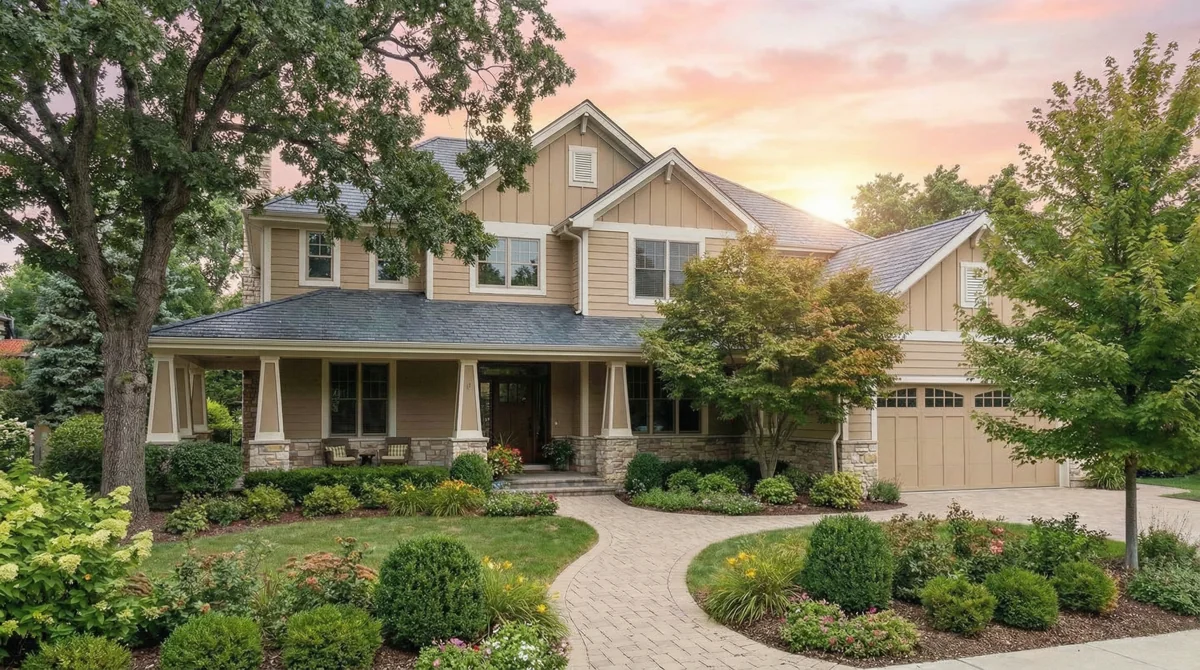
First light breaking across the front. Soft and warm before the neighborhood wakes up.
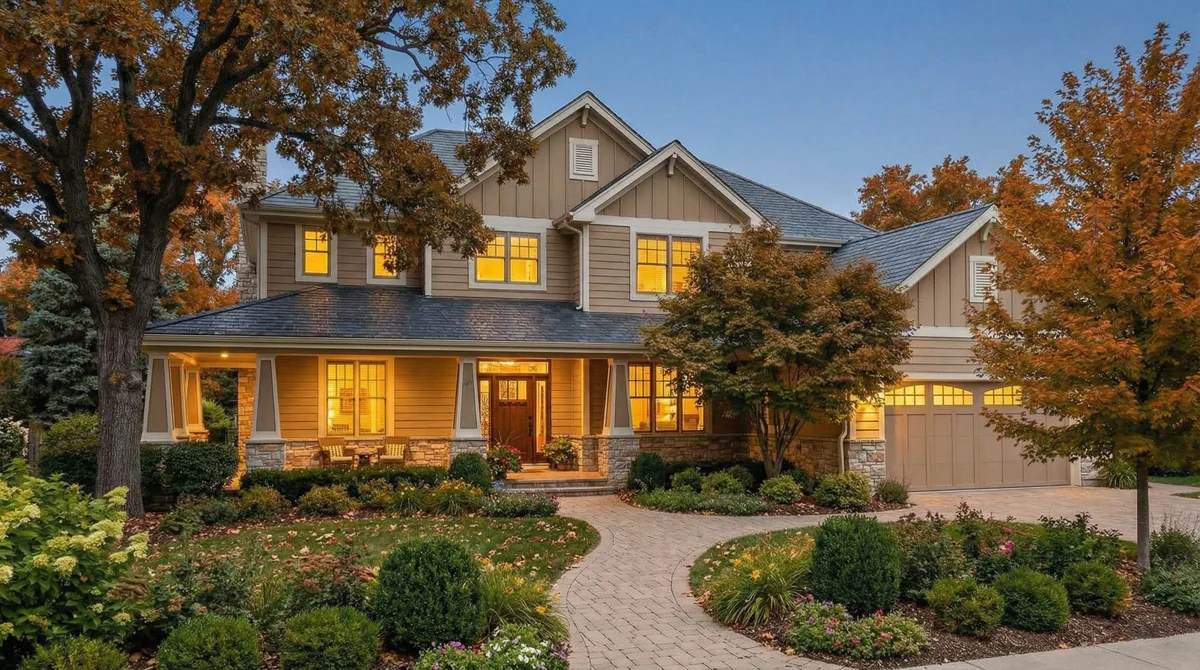
Porch light on, windows warm. The kind of shot that makes buyers say "I could live here."
Weather
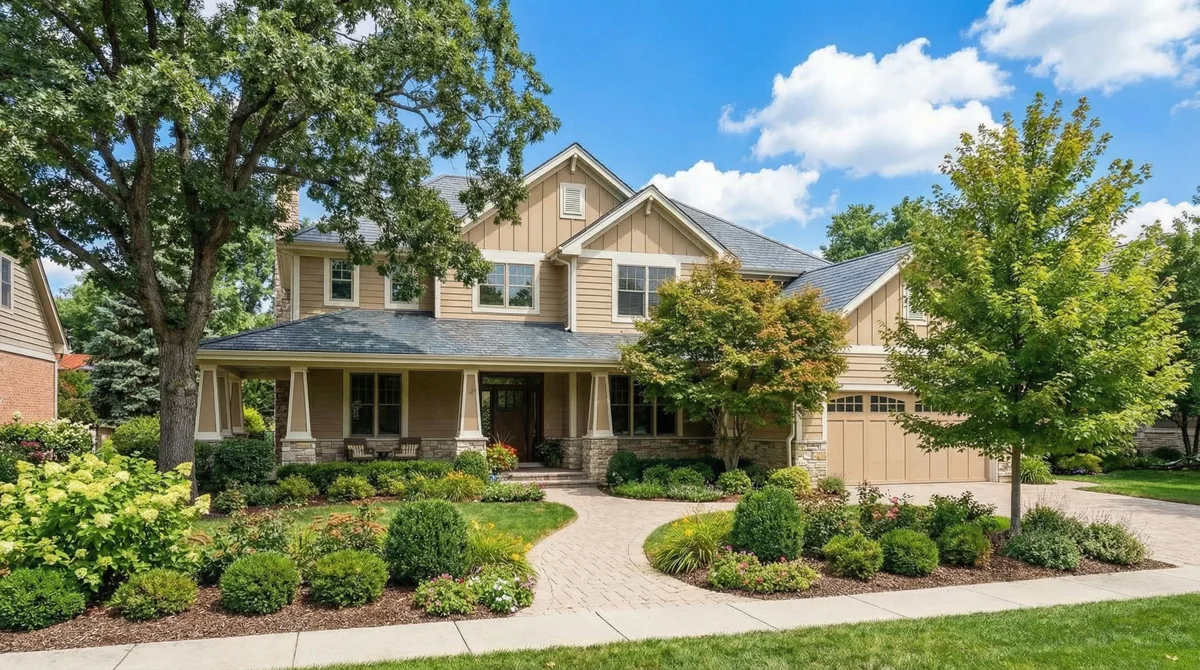
Fix an overcast shoot day after the fact. Blue sky, clean light, zero rescheduling.
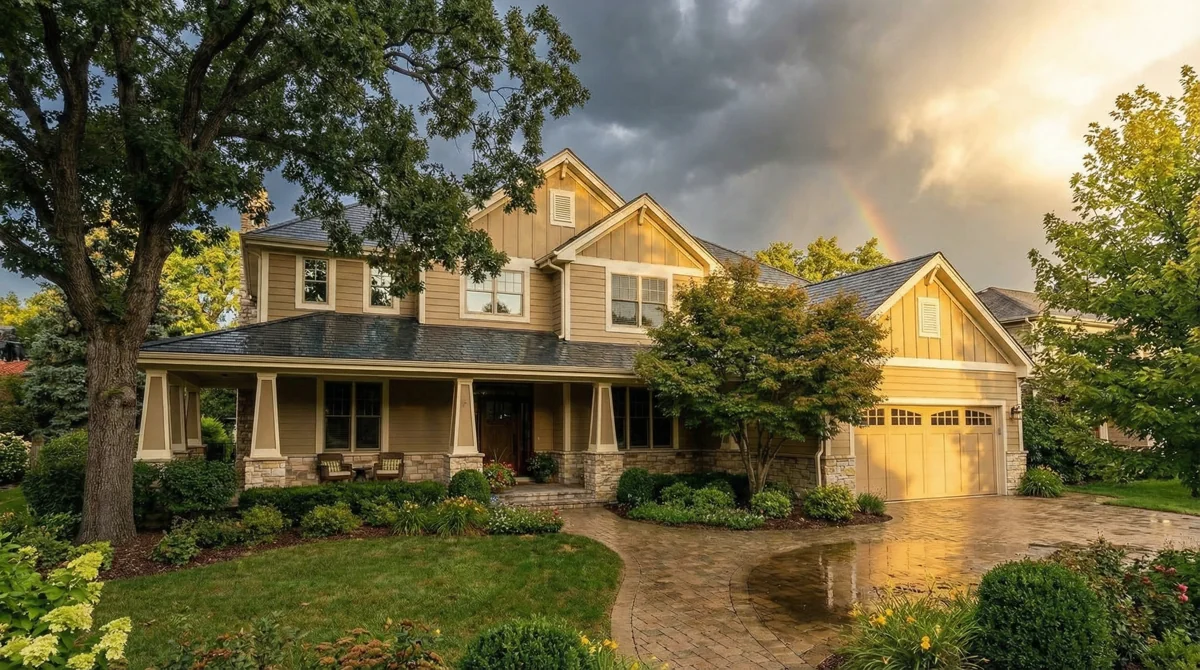
Storm clouds part, sunlight breaks through. Dramatic and attention-grabbing on a scroll.
Seasonal
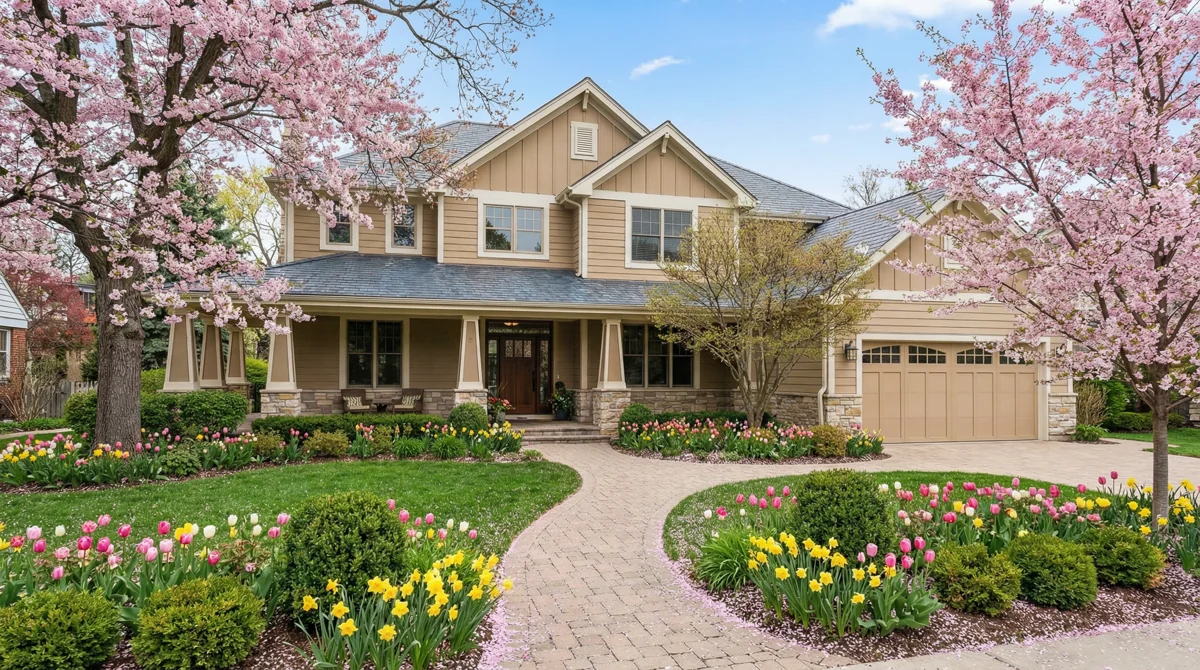
Cherry blossoms, fresh green lawn. Show buyers the property at its best, even if you shot it in January.
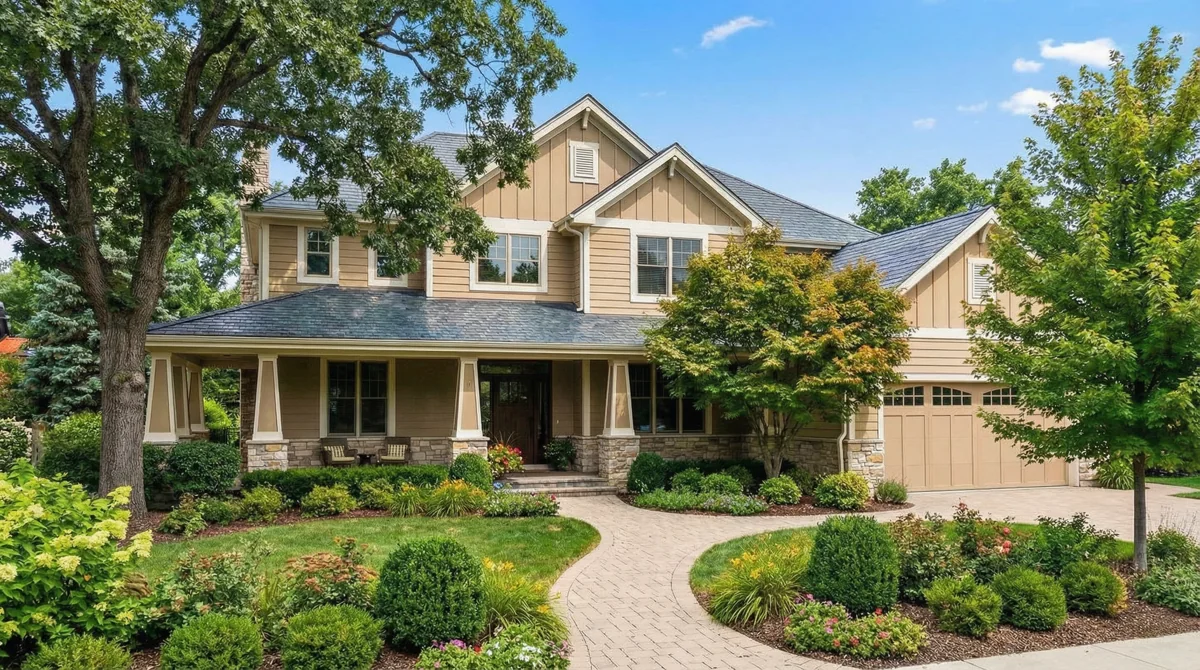
Peak green, blue sky, full canopy. Every property looks better when the trees are full.
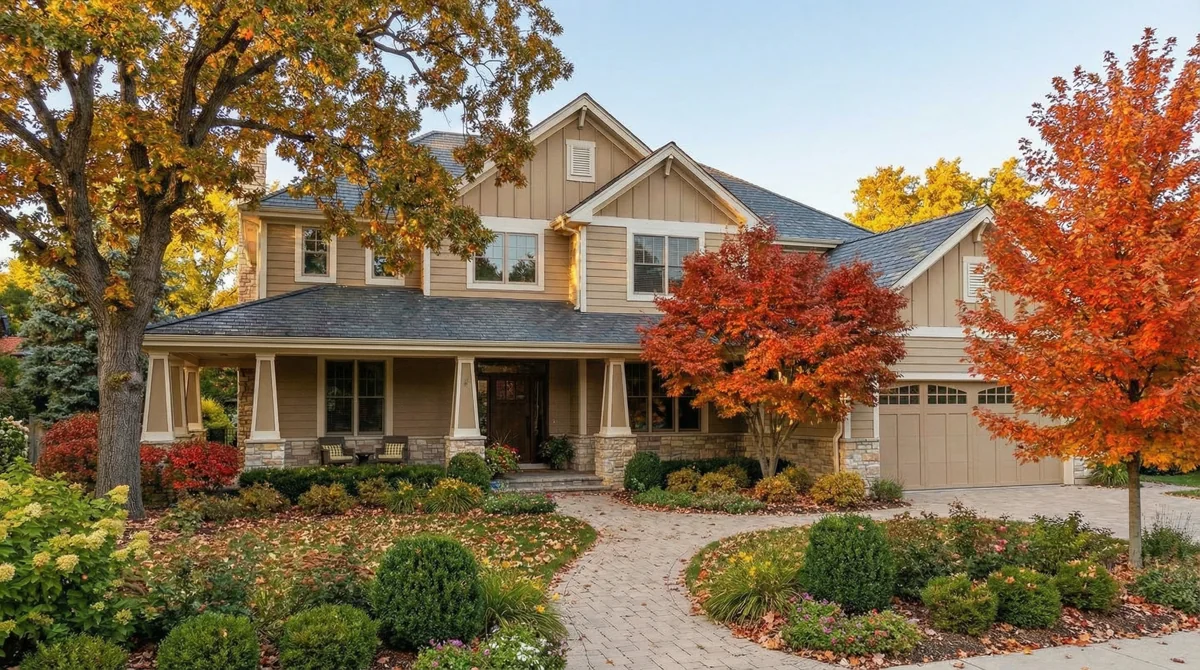
Red and gold foliage, scattered leaves. Get the October curb appeal without waiting until October.
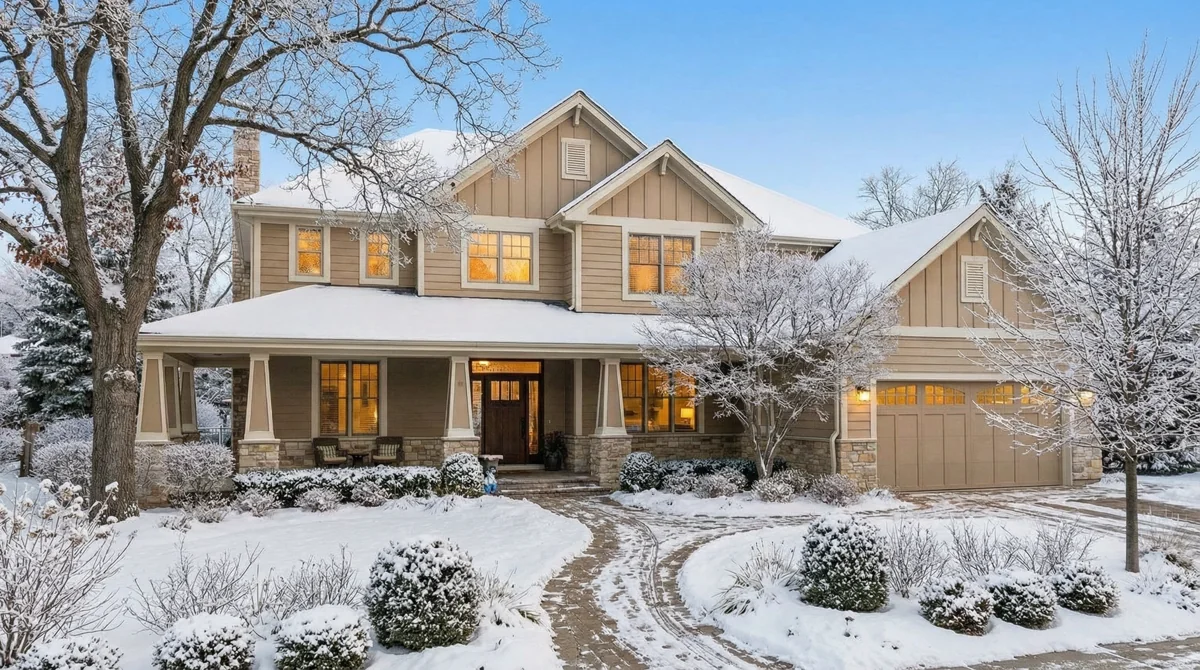
Snow on the roof, frost on the windows, warm light inside. Your summer photo becomes a holiday card.
Holiday
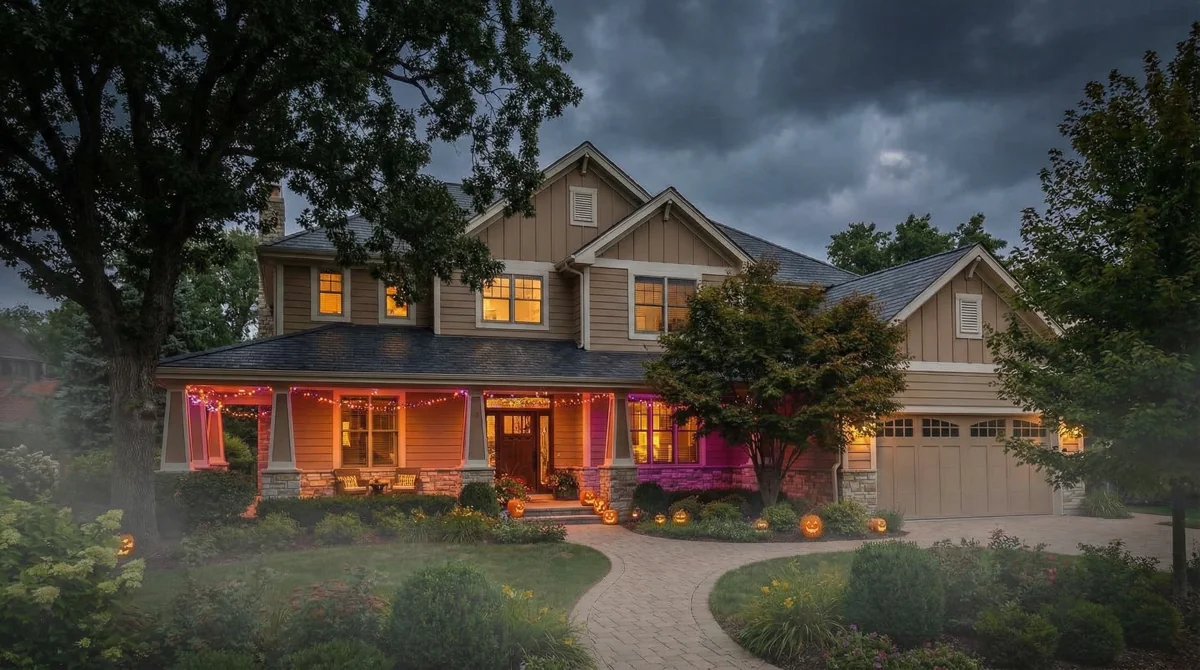
Jack-o-lanterns, fog, purple light. Post it on October 1 and watch the engagement spike.
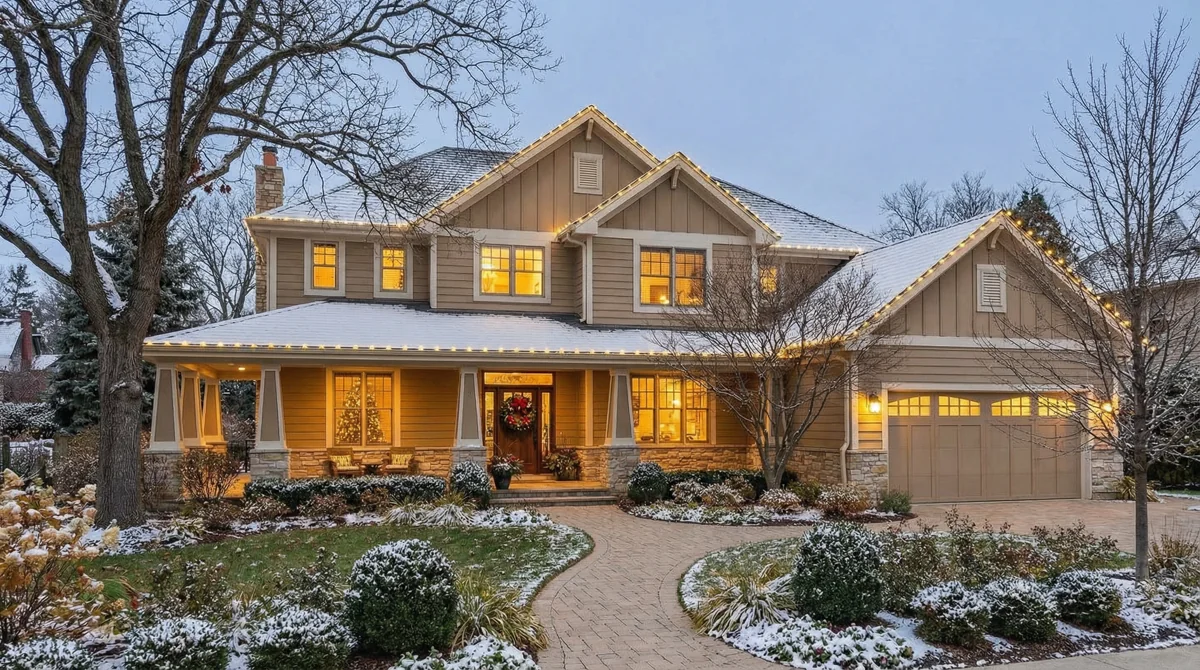
Roofline lights, wreath on the door, light snow. Seasonal content from a photo you took in July.
Most agents skip these
These 2 presets generate sweeping camera moves that open your video like a movie. One front-exterior photo, 5 seconds of footage your competitors do not have.
The camera falls from the sky and lands on your property. Drop this at the start of any video tour and the whole thing opens like a movie. Sellers notice.
You upload 1 ground-level photo. The AI builds the entire descent from above. No setup, no extra shoot, no waiting for the right window.
A helicopter peels back a cover and reveals the property underneath. 5 seconds of footage your competitors do not have. Scroll-stopping on every platform.
Buyers see the full lot, the street, and the curb appeal in one cinematic pull-back. Try this on your next hero property and watch the comments.
+10 Credits
Toggle "Add 3D Text" before you generate. Type the property address, price, or "Just Listed." The AI renders it as a 3D title that lives inside the scene, catches the light, and moves with the camera.
Without 3D Text
Looks good. But scroll past it on Instagram and you have no idea what property it is or where.
With 3D Text
Not a text overlay. The title is rendered inside the video, catching light from the twilight sky. Share it to Reels and the address does the branding for you.
+10 credits adds 3D Text to any transition. Want sound effects too? Another 10 credits. Base transition costs 50.
property videos created
agents using videotour.ai
from photo to cinematic clip
saved every time you skip a twilight reshoot
FAQ
50 credits per transition. Add 3D Text for 10 extra credits. Add sound effects for another 10. On the Independent plan ($29/month), that works out to about $2.50 per transition. On the Agency plan ($59/month), closer to $1.20.
Credits never expire. Any credits you do not use this month carry to the next.
2 minutes on average. Some presets finish in 90 seconds, longer ones with 3D Text and sound effects can take up to 5 minutes. You do not have to sit and wait. The AI runs in the background while you keep editing other parts of your video tour.
Any property photo you already have. Phone photos, MLS photos, photographer shots, Zillow imports. No resolution minimum. The AI handles the rest.
For Day to Night and time-of-day presets, front exterior photos work best. For Sky Drop and Helicopter Reveal, a clean front-on exterior gives the strongest result.
You can regenerate the same preset on the same photo with 1 click. The AI produces a new version every time. Try 2 or 3 seeds until you get the shot you want.
You can also trim the clip inside the editor or swap in a different preset entirely.
Canva and CapCut need you to film the footage first, then spend 30 to 60 minutes editing. AI Transitions generates the cinematic footage from 1 still photo in 2 minutes. No filming, no timeline editing, no keyframes.
This is AI-generated video, not a template or a filter.
1080p HD on every paid plan. Free plan exports at 720p. You can download the clip, post it straight to Reels and TikTok, or embed it in your full video tour with music and captions.
Yes. Every preset works on any property you have photos of. Most agents pick 2 or 3 presets they like (often Golden Hour, Day to Night, and Sky Drop) and use them as a signature style across every property.
No. Your first video on videotour.ai is free. No credit card, no commitment. You can generate your first AI Transition and export the video before ever pulling out your wallet.
Rarely. The models we use were trained on 100,000+ real estate photos. If something looks off, regenerate with a new seed or switch to Standard Motion (free, never alters the photo). For tight interior rooms, a second angle helps the AI understand the space.
Yes. Every video can be exported with an unbranded MLS-safe link, no agent branding, fully compliant with MLS rules. Use the branded version for social and the unbranded version for the MLS.
Upload your photos, pick a preset, and watch the AI generate the clip. Your first video costs nothing. No credit card required.
Make my first videoNo credit card. No camera. No editing.